The MacBook Air has been a favorite laptop for years. Its thin design, solid performance, and excellent battery life make it a go-to choice for students, professionals, and casual users alike. Yet not everyone finds it perfect. Some people want more ports, others prefer touchscreen capability, some look for a lower price, and many need Windows or ChromeOS for specific software. Whatever the reason, there are great MacBook Air alternatives in 2021 worth considering.
Choosing the right laptop goes beyond brand loyalty. It means finding a machine that feels right for your daily workflow, fits your budget, and delivers performance you can count on. In this article you will discover some of the best MacBook Air alternatives, how they compare, and why they might fit your needs better.
What Makes a Great MacBook Air Alternative
To qualify as a compelling alternative, a laptop should offer key strengths similar to the MacBook Air. It should be lightweight for travel, responsive for everyday tasks, and capable of handling productivity apps without lag. Long battery life matters because being tethered to an outlet limits mobility. Build quality and keyboard comfort factor heavily into overall satisfaction, too.
Some users might prioritize display quality for creative work while others might care more about gaming performance. A strong alternative introduces the flexibility to choose what matters most to you without being locked into a single ecosystem.
Dell XPS 13: A Strong All-Around Choice
Among Windows laptops, the Dell XPS 13 stands out as a consistently excellent option. Its sleek design rivals the MacBook Air and it feels just as premium in hand. The nearly edge-to-edge display gets a lot of praise because it provides more screen space without increasing physical size. Performance is solid with the latest Intel processors and battery life often stretches to a full workday.
For many people the XPS 13 feels familiar yet fresh. It runs Windows, which means it supports a wider variety of software natively than macOS. If you depend on apps that are Windows exclusive, this is a huge advantage. The keyboard feels comfortable for long typing sessions and the touchpad responds well.
Choosing the right configuration matters. A version with higher RAM and storage improves multitasking and future-proofs your purchase, especially if you plan to use the laptop for years.
Read Also: NYT Strands Hints April 11: Today Puzzle Theme Help
Microsoft Surface Laptop 4: Elegant and Comfortable
Microsoft’s Surface Laptop lineup continuously impresses. The Surface Laptop 4 brings a refined design that many compare directly with Apple’s offerings because of its simplicity and elegance. The 13.5-inch version offers a great balance of size and portability while the larger 15-inch model gives more space for content creation and multitasking.
One reason people gravitate toward the Surface Laptop 4 is the touchscreen. It adds intuitive control that feels natural when browsing or drawing with a stylus. The keyboard is one of the best in class, making long typing sessions feel comfortable rather than tiring.
Under the hood the laptop runs the latest AMD or Intel processors depending on the model you choose. This flexibility lets users pick configurations that match their performance needs without paying for power they don’t need. Surface Laptop 4 handles schoolwork, office productivity, video streaming, and light creative tasks with ease.
HP Spectre x360: A Convertible with Versatility
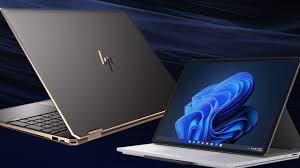
If you want something more versatile than a traditional clamshell laptop, the HP Spectre x360 delivers. It bends into tablet mode, tent mode, or stays as a regular laptop. This makes it ideal for presentations, creative work, and casual browsing.
The design feels premium and the build quality is rugged enough for everyday use. The keyboard is satisfying to type on and the display delivers vibrant colors. Some models offer OLED screens which look particularly striking for watching movies or editing photos.
Performance levels align with other premium ultrabooks thanks to the latest Intel chips. Battery life generally lasts a full day, though heavier tasks shorten that stretch. Whether you use it for work or play, the Spectre x360 adapts to different situations in a way traditional laptops cannot.
Lenovo ThinkPad X1 Carbon: Professional Powerhouse
For people focused on productivity and business use, the Lenovo ThinkPad X1 Carbon makes a strong case. It’s known for durability, excellent keyboards, and business-oriented features that professionals appreciate. The build quality meets military-grade standards, making it a reliable companion for frequent travel.
This laptop doesn’t just feel tough; it performs well too. Configured with recent Intel processors, it handles spreadsheets, virtual meetings, code compilation, and heavy multitasking without hesitation. Its battery life consistently goes beyond typical work hours, and many models include fast-charging support.
The ThinkPad X1 Carbon’s design is understated yet professional. Ports are plentiful compared with many ultraportables, letting you connect accessories without dongles. If your workflow revolves around productivity software and you prefer Windows, this laptop competes directly with the MacBook Air on many fronts.
ASUS ZenBook 13: Lightweight and Affordable
Not everyone wants to spend premium dollars, and that’s where the ASUS ZenBook 13 shines. It delivers strong performance and long battery life in a lightweight frame that feels great on the go. The design is sleek and the build quality exceeds expectations at its price point.
The ZenBook 13 packs enough power for everyday tasks like web browsing, office apps, video streaming, and even some light creative work. The display offers good brightness and color accuracy for its category. It also includes a healthy selection of ports, a welcome change for users who dislike carrying adapters.
Battery longevity on the ZenBook typically extends through a full day of mixed use. This makes it an appealing choice for students and professionals who need a dependable machine on a budget.
Google Pixelbook Go: Chromebook Alternative
If your work revolves around web-based apps and you want something simple, the Google Pixelbook Go brings a strong Chromebook experience. It’s lightweight, responsive, and ideal for users who live in the cloud. The keyboard is comfortable, the battery life is excellent, and the overall design feels refined.
Chromebooks have improved significantly over the years. They now support many Android apps and some Linux apps, expanding what you can do beyond just browsing. The Pixelbook Go’s hardware feels premium compared with many other Chromebooks, making it a great choice for students, casual users, and productivity focused individuals who don’t need Windows or macOS.
Acer Swift 3: Great Value Performance
The Acer Swift 3 consistently shows up on lists of the best laptops because it balances performance, price, and portability effectively. The build is solid, the display is clear, and performance is more than capable for everyday use. It runs Windows and handles productivity, streaming, and multitasking with ease thanks to the latest processors and sufficient RAM.
Battery life on the Swift 3 is impressive and often matches or surpasses more expensive competitors. People who want a reliable machine without spending premium money find this laptop very appealing.
For many users the Swift 3 feels like a sensible alternative to the MacBook Air because it delivers similar strengths without a premium price tag.
How to Choose the Best Alternative for You
Picking the best MacBook Air alternative depends on what you value most. If you want premium design and strong Windows compatibility, the Dell XPS 13 or Surface Laptop 4 could be ideal. If versatility matters, the Spectre x360’s convertible design shines. Professionals often prefer the ThinkPad X1 Carbon for productivity, while budget-minded buyers might lean toward the ASUS ZenBook 13 or Acer Swift 3. If you embrace cloud computing, the Google Pixelbook Go delivers simplicity and efficiency.
Reviewing what matters most in your daily work and lifestyle helps narrow the field. Consider screen size, keyboard comfort, battery life, and operating system compatibility. Each of these alternatives has strengths that appeal to different users, and all can stand shoulder to shoulder with the MacBook Air in their own ways.
Conclusion
The MacBook Air remains a strong choice for many people, but it is not the only excellent laptop worth considering in 2021. Whether you prefer Windows, ChromeOS, a convertible design, or great value pricing, there are compelling alternatives that deliver performance, portability, and satisfaction.
Choosing the right laptop means understanding your personal needs and how you use technology every day. By exploring options beyond the MacBook Air you open the door to machines that might suit your workflow even better. Each alternative presented here stands out in its own way, offering a unique mix of features that ensure you don’t have to compromise when moving away from Apple’s ecosystem.
FAQs
1. What is the best MacBook Air alternative in 2021
The Dell XPS 13 is considered one of the best alternatives due to its design, performance, and portability.
2. Are Windows laptops better than MacBook Air
Windows laptops offer more software compatibility and hardware choices, depending on your needs.
3. Which MacBook Air alternative is best for students
The ASUS ZenBook 13 and Acer Swift 3 are great choices for students because of value and battery life.
4. Can Chromebooks replace a MacBook Air
Yes, Chromebooks like the Pixelbook Go can replace a MacBook Air for web-based and cloud-focused users.
5. Which laptop has the best battery life like MacBook Air
The Dell XPS 13 and Lenovo ThinkPad X1 Carbon both offer excellent battery life comparable to the MacBook Air.