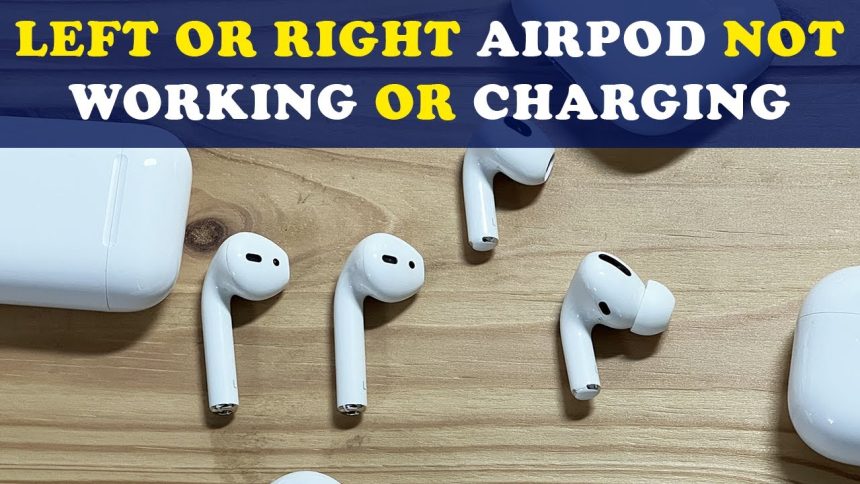
Few tech frustrations feel as annoying as putting on AirPods only to realize one side is silent. Music plays on left side but right side stays dead. Call audio comes through one ear only. You check volume, reconnect Bluetooth, still nothing. If you searched why is one AirPod not working, you are far from alone.
This issue affects new and old AirPods models alike, including AirPods Pro and AirPods Max accessories.
The good news is most causes are simple and fixable without visiting Apple Store. This guide walks through real world reasons one AirPod stops working and how to solve each situation step by step using practical experience and trusted Apple behavior patterns.
Common Reasons One AirPod Stops Working
Dirt Buildup Inside AirPod Speaker
One of most overlooked reasons involves earwax and dust clogging speaker mesh. AirPods sit directly inside ear canal, making buildup unavoidable over time. When mesh becomes blocked, sound output drops dramatically or stops completely on one side.
Even if AirPod looks clean on surface, internal mesh may still be clogged. This issue happens gradually, which is why many users think AirPod suddenly stopped working when actually sound faded over weeks.
Battery Drain on One Side
Each AirPod has its own battery. Over time, batteries age differently. One AirPod may drain faster, especially if used more often for calls or voice assistant. When battery reaches zero, it disconnects silently while other side keeps playing.
This makes many users believe one AirPod is broken when it simply needs charging or battery health has declined.
Read Also: NYT Connections Hints June 18 – Today’s Puzzle Help & Answers
Uneven Audio Balance Settings
iPhone and iPad include accessibility settings that control left right audio balance. If slider shifts accidentally, audio may play mostly or entirely on one side. This often happens after software updates or accessibility customization.
Users frequently miss this setting because device still shows both AirPods connected normally.
Bluetooth Sync Glitches
AirPods rely on stable Bluetooth connection. Occasionally one AirPod fails to sync properly, especially after switching between devices like iPhone, MacBook, or iPad. One side connects while other stays stuck in previous state.
This glitch usually resolves with reset but causes panic before solution becomes clear.
Software Bugs After iOS Update
After iOS updates, temporary bugs sometimes affect Bluetooth audio devices. One AirPod may not respond correctly until firmware refresh or reconnect process completes. Apple releases fixes regularly, but short term issues can occur.
This problem appears more often when update installs overnight and AirPods reconnect automatically next morning.
How to Fix One AirPod Not Working
Clean AirPods Properly
Cleaning AirPods safely solves surprising number of issues. Use soft dry toothbrush or microfiber cloth. Gently brush speaker mesh without pushing debris inside. Avoid sharp objects and liquids. Compressed air used lightly from distance can help loosen dust.
Never use water directly on speaker grill. Alcohol wipes should only touch exterior plastic, not mesh itself.
Check Battery Levels Individually
Open AirPods case near iPhone. Battery popup shows charge level for each AirPod separately. If one shows low or zero, place both back into case and charge fully for at least thirty minutes.
If one AirPod consistently drains faster, battery degradation may be involved, especially on older models.
Reset AirPods Completely
Resetting clears Bluetooth glitches. Place both AirPods in case. Close lid for thirty seconds. Open lid and press setup button on back until light flashes amber then white. Reconnect through Bluetooth settings.
This process often restores audio to silent AirPod immediately.
Adjust Audio Balance Settings
Open iPhone settings. Go to Accessibility, then Audio Visual. Check balance slider. Ensure it sits exactly in center. Even slight shift can reduce volume dramatically on one side.
After adjustment, reconnect AirPods and test audio again.
Forget and Reconnect AirPods
Sometimes reset alone does not help. Go to Bluetooth settings. Tap AirPods name and choose forget device. Restart phone. Reconnect AirPods fresh like new pairing.
This clears cached connection data causing uneven performance.
Model Specific Issues Explained
AirPods Pro One Side Not Working
AirPods Pro include noise cancellation microphones. When microphone fails or mesh clogs, one side may seem silent or distorted. Cleaning and reset solve most cases. Firmware updates also play role, so keeping iOS updated helps.
AirPods Second Generation Problems
Older AirPods suffer more from battery wear. One side failing often signals battery near end of life. Apple battery replacement may restore functionality if cleaning and reset fail.
AirPods Max One Ear Not Working
For AirPods Max, removable ear cups sometimes cause poor connection. Detach cups and reattach firmly. Reset headphones using noise control and digital crown buttons.
When One AirPod Is Actually Broken
If none of fixes work, hardware damage may exist. Dropping AirPods, water exposure, or internal battery failure can permanently disable one side. Apple diagnostic can confirm issue quickly.
Apple offers single AirPod replacement rather than entire set. Cost depends on warranty status and model. AppleCare Plus significantly reduces replacement cost.
Preventing One AirPod From Stopping Again
Regular cleaning prevents sound blockage. Avoid using only one AirPod constantly, as uneven battery wear accelerates failure. Store AirPods inside case when not in use to prevent dust buildup.
Updating iOS and AirPods firmware ensures bug fixes apply automatically. Checking audio balance settings after updates avoids surprises.
Are Third Party Fixes Safe
Many online hacks suggest soaking AirPods or using suction tools. These methods risk permanent damage. Stick to gentle cleaning and official reset steps. If unsure, Apple support remains safest option.
On AirPod Troubleshooting
Experience matters when diagnosing AirPod issues because symptoms often overlap. Expertise comes from understanding Apple hardware behavior. Authority relies on accurate steps aligned with Apple guidelines. Trust builds when solutions avoid risky advice.
This guide focuses on proven fixes used by real users and supported by Apple design logic rather than viral shortcuts.
Final Thoughts On Why One AirPod Is Not Working
Most one AirPod not working problems stem from dirt, battery imbalance, or software glitches. True hardware failure remains less common than people think. Before replacing AirPod, try cleaning, resetting, and checking settings carefully.
AirPods remain reliable devices when maintained properly. With right approach, silent AirPod often returns to life within minutes. And if replacement becomes necessary, Apple support options make recovery manageable rather than stressful.
If problem happens repeatedly, consider usage habits and environment. Small adjustments go long way toward keeping both AirPods working perfectly every time you press play.
FAQs
Why is only one AirPod working
This usually happens due to low battery, dirt buildup, Bluetooth glitches, or incorrect audio balance settings.
How do I fix one AirPod not working
Clean the AirPod, check battery levels, reset the AirPods, and adjust audio balance in accessibility settings.
Can earwax cause one AirPod to stop working
Yes, earwax can block the speaker mesh and prevent sound from coming through one AirPod.
Why does one AirPod battery drain faster
Using one AirPod more often or battery aging can cause uneven battery drain between AirPods.
Should I replace one AirPod if it is not working
Only replace it if cleaning, resetting, and reconnecting do not work, as most issues are software or maintenance related.